M3 Payout
2,198,697 CKB (representing the 22.5% of full grants)
M3 Payout
2,198,697 CKB (representing the 22.5% of full grants)
This one fixes the auto-update flow itself.
On v1.6.0 tapping “Update now” did very little: no progress, no feedback, downloads stalled at ~90% via Android’s DownloadManager, and if you had not granted install-from-unknown-sources nothing visible happened at all.
v1.6.1 ships:
• Telegram-style banner above the bottom navigation showing real-time download progress.
• Auto-resume after granting install permission, no need to re-tap Update.
• Tap-to-cancel on in-flight downloads. Tap-to-retry on failed ones.
• Downloaded APK gets cleaned up after install or cancellation, no orphan 39 MB sitting on your phone.
Under the hood we replaced DownloadManager with Ktor streaming, so the APK actually finishes.
If you are on v1.6.0 the in-app updater picks this up automatically. v1.5.x users still need to sideload once.
Download: Release Pocket Node v1.6.1 · RaheemJnr/pocket-node · GitHub
Bug or feature request: Issues · RaheemJnr/pocket-node · GitHub
Project: Pocket Node: Mobile CKB Light Client Wallet for Android
Repository: github.com/RaheemJnr/pocket-node
Milestone: M4
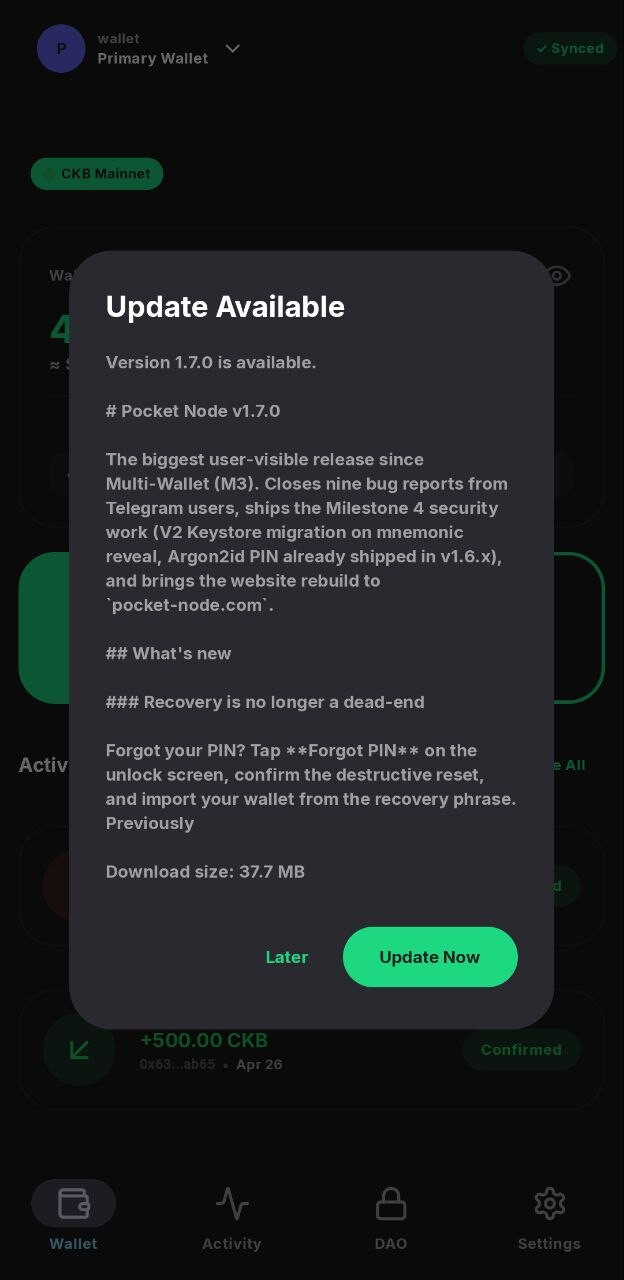
Releases: v1.7.0
Security
Address Book
Localisation
Sync hardening
DAO
Site, docs, polish
Hi Jnr6, 似乎标题写错了,应该是M4 Completion Report 
Thank you, i just copied and pasted the title above
FULL-Node?
Could this also become a full network node? Add an “Enable Full Node” button to the settings, followed by a pop-up window for editing the ckb.toml file for the nearest boot node. Include a warning that the device will be under heavy load and that its expected lifespan will be reduced by running as a full node.
I have an older device with an Snapdragon 765G and 8 GB of RAM. Should that be enough? However, the current memory requirements might exceed my ~100–120 GB.
I originally came up with the idea of a full node because the current Portal wallet doesn’t recognize multiple DAO deposits in a single wallet. Unfortunately, PortalWallet only shows me one of several DAO investments. In addition, the sync process restarts indefinitely when I launch the app. I assume this is related to the DAO investments that aren’t being recognized.
Initially i began this journey with the aim of finding a way for full node to work on mobile despite the possible constraints, along the line we choose the layered approach, Do light client first, then we build on that for Full Node; so full node is still part of the future obstable to overcome.
The light client proposal is at it last milestone so let look at what the future holds. @knmo
Concerning the multiple DAO deposit in a single wallet, does Pcoket Node solve the problem for you?
Pocket Node v1.7.3 released — six security fixes from the Nervos team review
The community team’s security review surfaced a batch of findings against v1.7.x. v1.7.3 closes all six. Sideload from the GitHub release; auto-update will roll out to existing installs over the next few hours.
What changed:
Send screen refuses to broadcast a transaction that would leave less than 61 CKB of change. Previously that residue was silently absorbed as fee.
Backing up a raw-key wallet now requires PIN verification before the key is shown. The key is fully masked until you tap to reveal, and the clipboard is cleared 60 seconds after a copy.
Toggling “Authenticate before sending” off now requires re-entering your PIN.
The in-app updater verifies the signing certificate on the downloaded APK before launching the system installer. Tampered or re-signed APKs are refused at the app layer, on top of Android’s own same-key check.
The release workflow now checks out the verified commit instead of the unqualified tag name. Closes a path where a branch named after a tag could shadow the tag at checkout time.
Wallets created on devices without a screen lock now work in a software-only encryption mode and upgrade to hardware-backed protection automatically the moment you enable a device lock.
Thanks to the Nervos community testing team for the review.
Download: Release v1.7.3 · RaheemJnr/pocket-node · GitHub
Source: GitHub - RaheemJnr/pocket-node: A native Android CKB (Nervos) wallet that runs an embedded light client directly on the device via JNI — full sovereignty, no remote servers. · GitHub
No. I’d like to enter an earlier recovery period—that is, an earlier block height—for testing purposes, but after I enter the block height, it doesn’t seem to be accepted. I type the numbers on my mobile device’s keyboard—“Block Height e.g. 12000000”—and then press the Enter key. It doesn’t work. I don’t see any other confirmation button either.
Would it help with troubleshooting if I deleted the wallet and then selected an earlier restore point for synchronization? The sync always starts very close to the time of the DAO staking.
i understand what you are trying to explain, There’s are some quirks that still need smoothing with the syncing. i will personally ping you when i have new feedback about this, or better still join our telegram @knmo
After the last update, A text field appears: “Secure Wallet - To unlock encrypt your wallet keys”
It took me several attempts to realize that you have to enter your screen lock password. It would be helpful to have a prompt indicating that a pop-up for the screen lock password will appear—even after restoring a seed phrase.
i thought i added this @knmo guess i forgot
By the way, this is fixed and will be part of the next release. I did a lot of work on the syncing too and tested it with devnet and testnet and synced a wallet with a very long history, and it worked fine. I’d like your feedback on the issue you encountered. Also, can you create an issue on GitHub so we can track this well and not pollute this thread. @knmo
I’ve already sent and received large amounts on the mainnet. It works great, not just on the dev/test network. You can try it out yourself by making three or four DAO deposits in just a few minutes—you don’t need large amounts for this, just a few hundred CKB.
Thank you for taking my bug reports seriously, reviewing them, and (remarkably) addressing them in no time.
I rarely build from source myself these days, so I’ll have to wait for the next release to test it. I’ll provide feedback.
Thanks also for the support here; I currently use Telegram and GitHub only on rare occasions.
I consider Pocket Node to be a very important piece of software. It makes blockchain accessible to billions of mobile device users in a decentralized way.
The design decision not to rely on the ccc connector, which depends on loading a centrally hosted website or API, was the right one.
I’m a big fan and think this simple, functional approach is extremely well done. I believe this software is worth recommending and (possibly after an external audit) linking to on the Nervos website! Getting @matt’s attention is a good start.
It provides access to public infrastructure exactly where it should be: in the hands or pockets of the public.
Thank you for the idea, the implementation, and the dedication you’ve put into maintaining it.
Hi @knmo Thank you so much for your incredibly thoughtful and encouraging feedback on Pocket Node. Reading your comment truly made my day and reinforced why I poured so much energy into this project.
No problem if you can file the issue, i will test and file it myself if it turns out to be a concrete bug.
Thank you for acknowledging the bug report handling and for your kind words about the implementation and my dedication. It means a lot to receive such positive reinforcement, especially from someone who understands the technical nuances involved.
M4 Payout
15,000*22.5%, @0.00105 = 3,214,286 CKB
Note: The committee temporarily paid this branch of payout (invisibook M2, Pocket Node M4, Fiber Link M3, and Fiber desktop initial) using another single-sig wallet. Subsequently, the committee reimbursed the same amount of CKB from the DAO wallet.
Repayment tx: https://explorer.nervos.org/transaction/0x5b4b7deecdb9c521902feb04e1b6a552467c2544f70faa9bb4d873c9949e5f89
Title: Pocket Node v1.7.4 is out — sync and Nervos DAO reliability
Pocket Node v1.7.4 is live. This one is a reliability release driven almost entirely by your reports here and on Telegram. Thank you to everyone who sent screenshots and steps to reproduce.
Sync
Nervos DAO
Sending
Also in this release
Update in place over any earlier version. Download: Release Pocket Node v1.7.4 · RaheemJnr/pocket-node · GitHub or from pocket-node.com.
Keep the reports coming. They are what shaped this release.
My Wallet is still stuck in an endless loop; after restarting the app, it says “Catching up from” 19290000
After adjusting the setting to restore to an earlier point in time, the restoration will only take place after the app is restarted. The button is now visible and the adjusted number is applied to the input field, but the restoration to an earlier point in time does not actually begin until the app has been restarted.
If this behavior is intended, it might be helpful to include the following note: “To apply the restore point, you must restart the app.”
The wallet restored from the seed only displays the initial amount received, the wallet’s first transaction, and a single DAO deposit transaction. However, there are several of them, even though only one is displayed.
I’m sharing the transaction details here, along with how I created this seemingly unusual wallet. It might be helpful for similar situations in the future, because if I’ve encountered this, others may have or may still encounter it as well.
0x97049bc4557142baad7d88d9fbeb1402ef408bcaf5b33e8f3099ec96c878781e
I split ~400k into 25% increments, meaning 4 deposits of 101,358 each. I couldn’t resist the 25% button in the “Bitcoin Light Wallet”. After all, it can make perfect sense to make 4 deposits of ~100k each instead of depositing ~400k all at once. After the first deposit, however, the loading spinner in the “Bitcoin Light Wallet” kept spinning endlessly, so after waiting a while, I restored the seed and was then able to make a new, additional 25% 100k DAO deposit transaction because the loading spinner disappeared after the seed restoration. But then the loading spinner started spinning endlessly again, so I restored the seed several times until all the CKB had been deposited into DAO.
0x08fd02c564bf9d75f28880dd1768e3c525cf9fbf7f3699f1636bcecff7122101
0x02a61be75fb6ac27827e6cbbbf9b57c15d1232c8368fb000708c9687f17b3993
0x389dde50c452bdc20a54db2d9d1c340a525aad010ebef5c64ce91340d808b0af
It seems the Bitcoin-Light app has generated new addresses for DAO deposits? com.peersyst.bitcoinlight
Edit:
This “Dao Deposit” transaction is displayed in the Activity window. Sent - Dao Deposit. Nothing is displayed in the DAO window. Active (0) Completed (0)
Additional note: The first “Wallet” screen displays the message “Sync hasn’t progressed in 5 min” even though the synchronization is in progress and the sync number is incrementing.
Edit2:
I’ve noticed that during the synchronization loop—that is, when synchronization restarts unintentionally upon launching the app—the first block height displayed is higher than the one I selected:
“Catching up from 19284000”
But I set it to 19,100,000 in the options.
Edit3:
A nametag Peersyst @vriveraPeersyst @keith